
Connect Data Sources
Link your databases and files to NQRust Analytics so you can query them in natural language.
NQRust Analytics queries your own data, so connecting a data source is the first step after installation. Each connector requires slightly different details. Have your host, credentials, and database name ready before you begin.
Supported data sources
NQRust Analytics connects to the following 11 sources:
PostgreSQL
MySQL
SQL Server
Oracle
BigQuery
Snowflake
Redshift
Athena
DuckDB
ClickHouse
Trino
Add a connection
Open the Analytics UI, locate the Connect a data source area, and select the source you want.
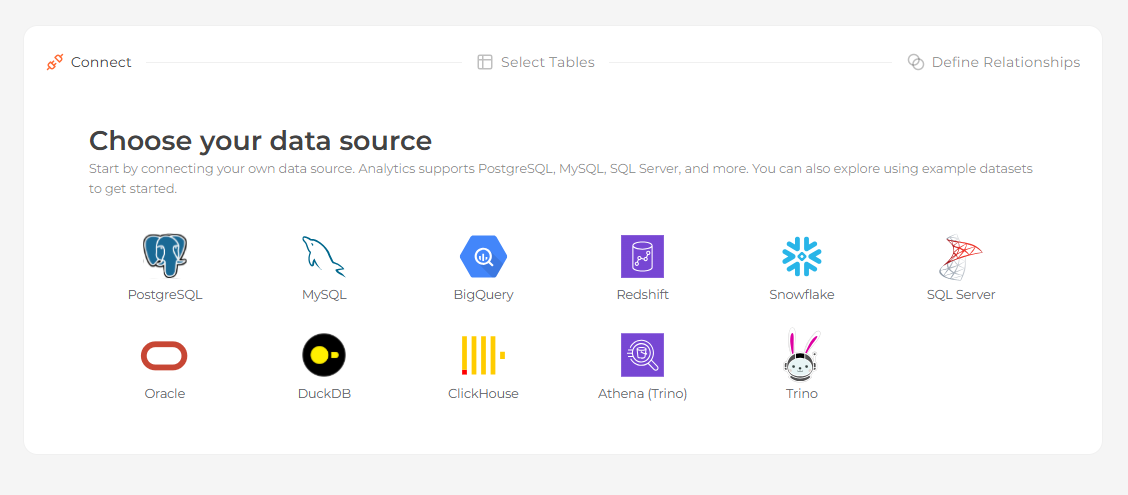 The data source picker showing the grid of supported connectors Then follow the connector-specific guide above to complete
the configuration, choose your tables, and optionally define relationships.
The data source picker showing the grid of supported connectors Then follow the connector-specific guide above to complete
the configuration, choose your tables, and optionally define relationships.
Update a connection
To change the details of an existing connection — for example a rotated password or a new host — go to Settings > Data source settings and edit the values there. You do not need to start over.
Remove a connection
Removing a connection currently requires resetting the entire project. Open Settings > Project settings and reset, then configure your data source and models again from scratch. When you only need to update connection details, use the data source settings described above to avoid a full reset.