
Connect Files with DuckDB
Query CSV, JSON, and Parquet files in NQRust Analytics using DuckDB.
NQRust Analytics can query files through DuckDB, allowing you to work with CSV, JSON, and Parquet data without first loading it into a separate database.
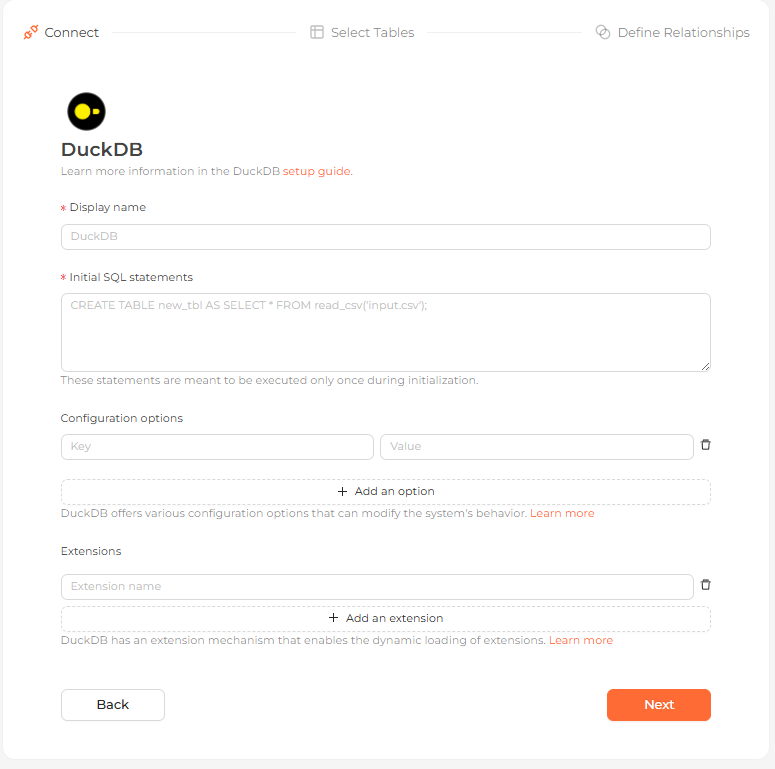 The DuckDB file connection form in the Analytics UI
Supported formats and types
File formats: CSV, JSON, and Parquet.
Data types: the standard scalar types (BIGINT, INTEGER, VARCHAR, DATE,
TIMESTAMP, BOOLEAN, DECIMAL, DOUBLE, and more), plus ARRAY variants for
nested data.
Connection settings
| Field | Description |
|---|---|
| Display name | (required) The name this source shows up as in the Analytics UI, e.g. DuckDB. |
| Initial SQL statements | (required) SQL executed once at initialization, e.g. CREATE TABLE new_tbl AS SELECT * FROM read_csv('input.csv');. |
| Configuration options | (optional) Key/value DuckDB configuration options. |
| Extensions | (optional) DuckDB extensions to load. |
You can read files from either a local path or a cloud storage URL such as an AWS S3 bucket.
Steps
Configure the connection
Complete the fields above — most importantly the Initial SQL statements, which run once at initialization to load your files — and continue.
Select tables
Every table discovered from your SQL is listed. Choose the ones you want as data models.
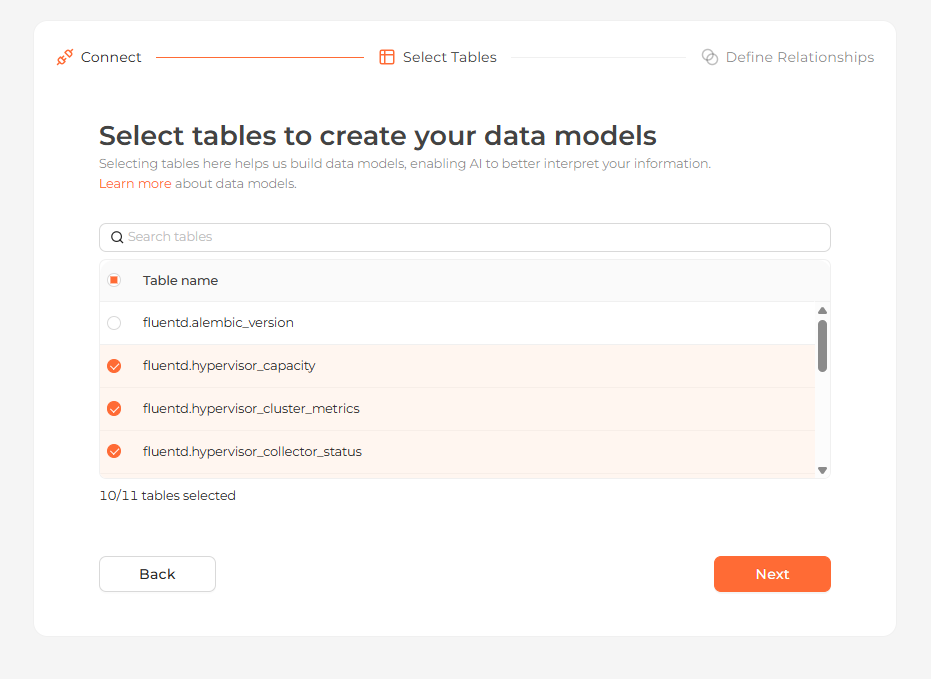 Selecting the tables to import as data models
Define relationships
Connect your tables by setting a source table and column, a target table and column, and a relationship type. You can skip this step to finish the connection.
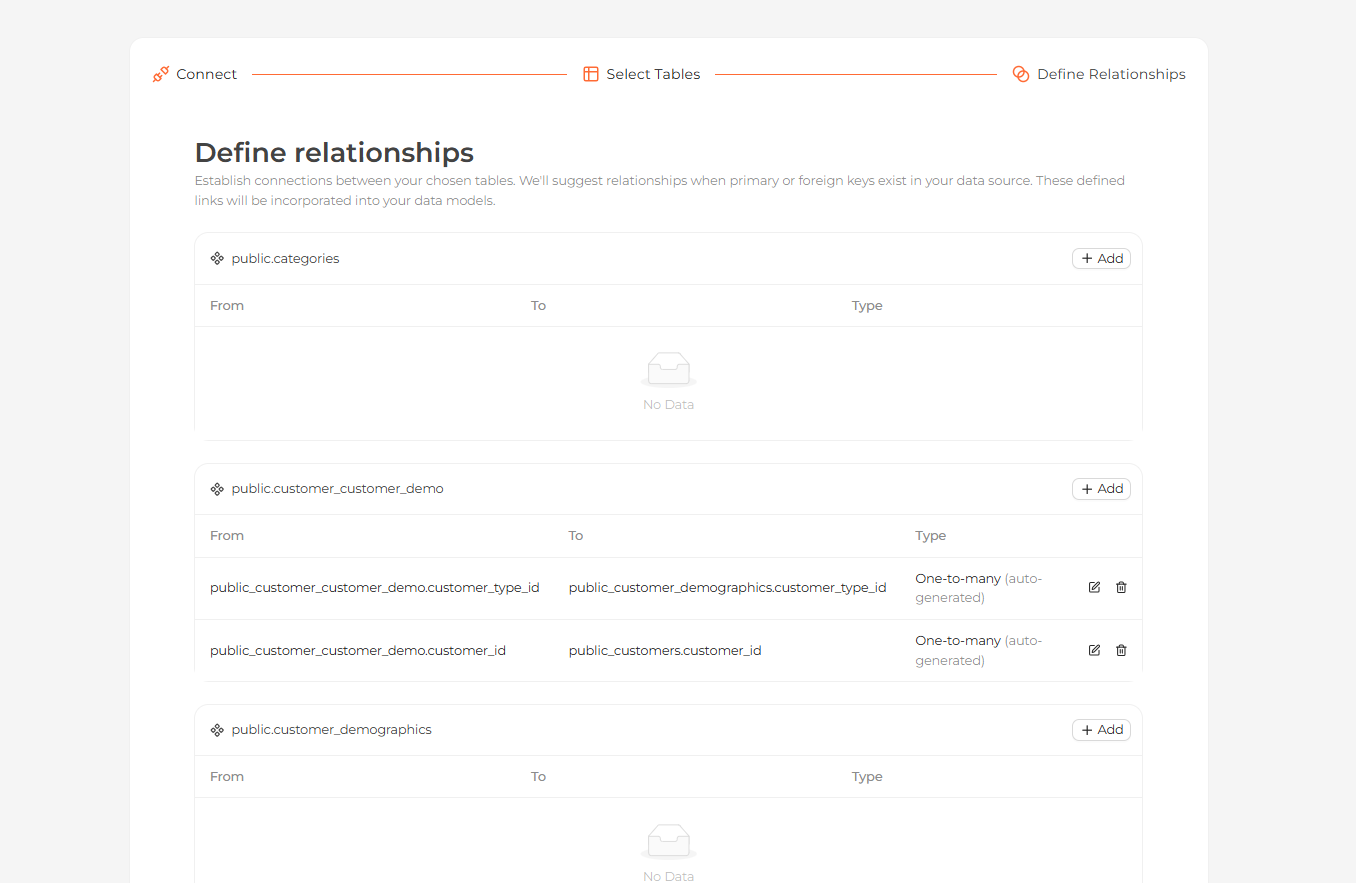 Defining relationships between the imported tables
Start exploring
Your tables now appear on the Modeling page. Open the Home page and ask questions about your data in natural language.
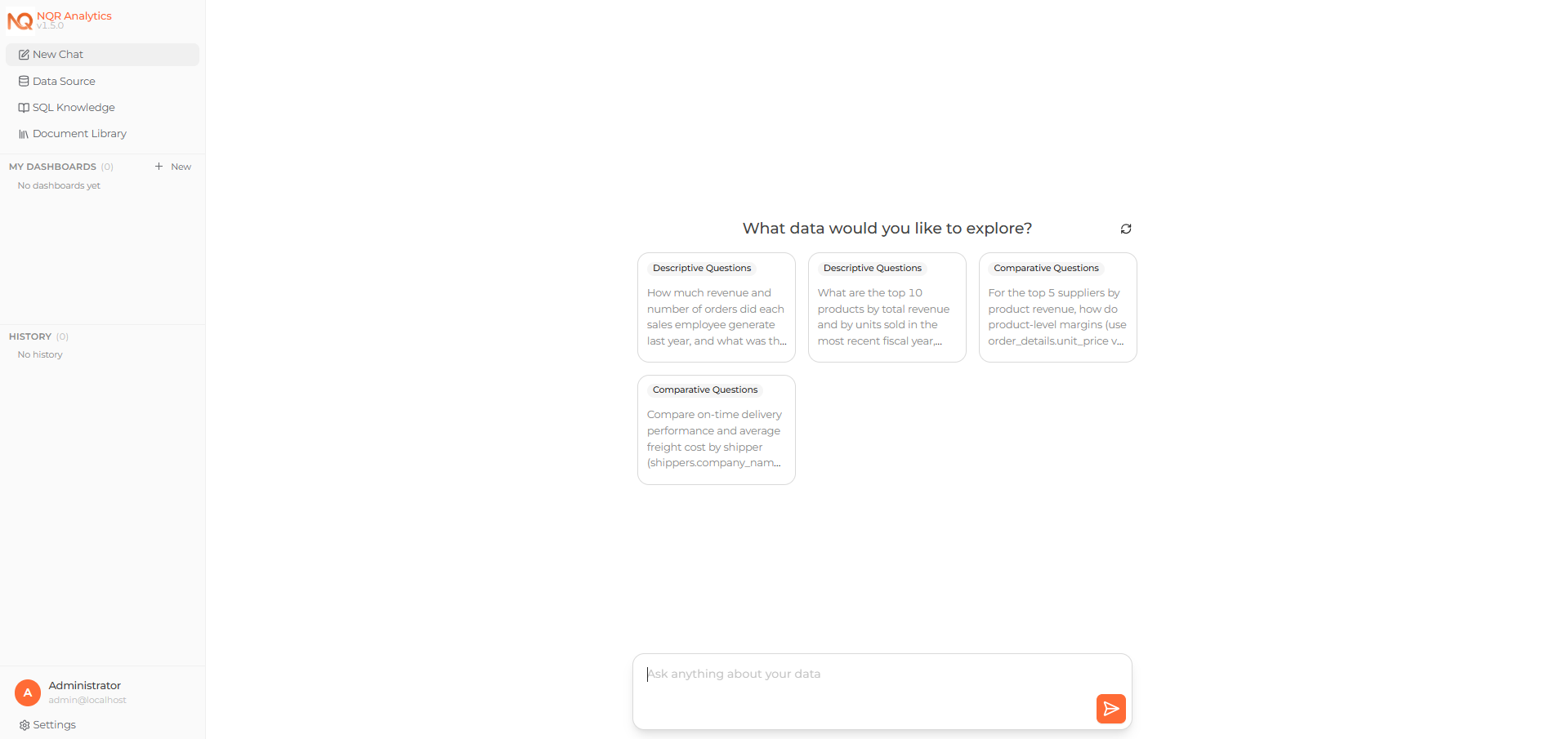 Asking a question about the connected data on the Home page