
Connect Data Sources
Connect Amazon Athena
Connect Amazon Athena to NQRust Analytics.
Athena is supported only with the Trino query engine. The Apache Spark engine is not supported.
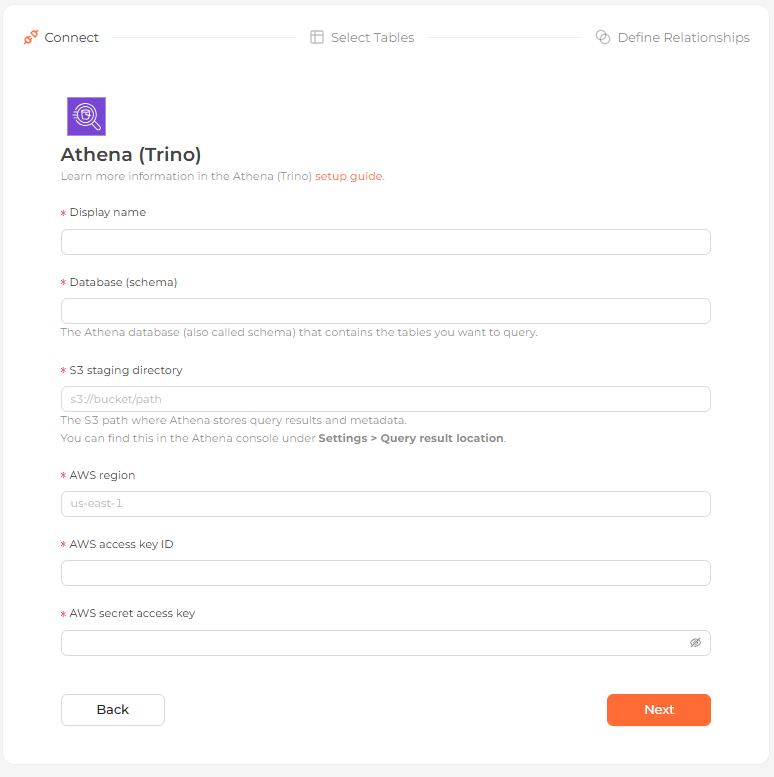 The Amazon Athena connection form in the Analytics UI
Prerequisites
You need an AWS account with the AmazonAthenaFullAccess policy or an equivalent set of permissions that includes:
- Running Athena queries
- Full access to the S3 bucket that holds query results
- Read access to AWS Glue Data Catalog metadata
On the target databases, the account also needs:
SELECTon tables and viewsCREATE VIEWDROP VIEW
NQRust Analytics creates temporary views with unique, system-generated names, so they will not conflict with your existing views.
Connection settings
| Field | Description |
|---|---|
| Display name | The name this database shows up as in the Analytics UI. |
| Database (schema) | The Athena database (also called schema) that contains the tables you want to query. |
| S3 staging directory | The S3 path where Athena stores query results and metadata, e.g. s3://bucket/path. Find it in the Athena console under Settings > Query result location. |
| AWS region | The region Athena runs in, e.g. us-east-1. |
| AWS access key ID | Your access key ID. |
| AWS secret access key | Your secret access key. |
Steps
Enter connection details
Select Athena in the connection dialog, fill in the connection settings above, and continue.
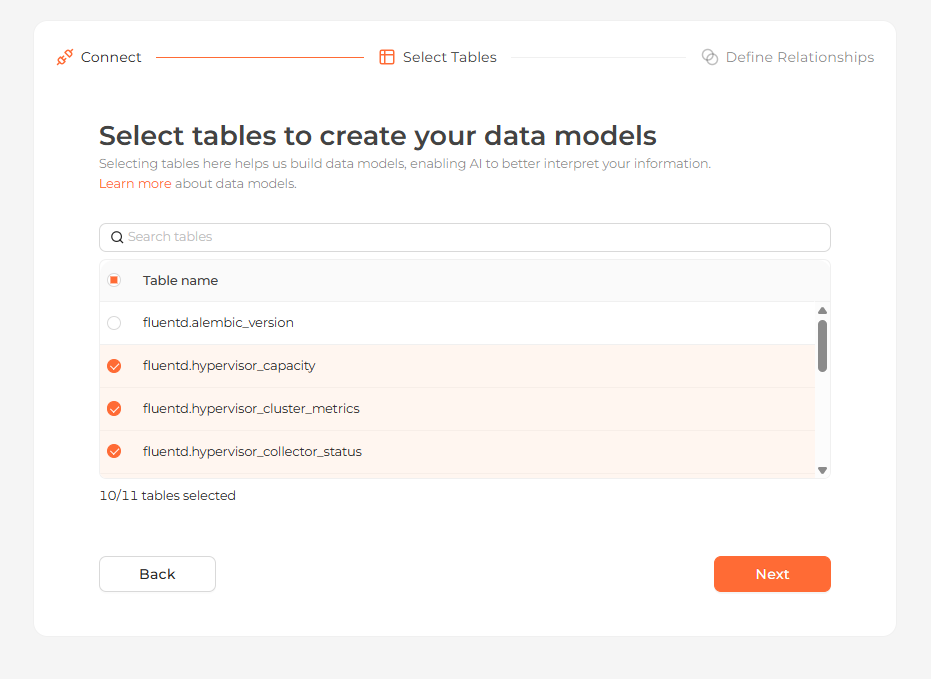
Define relationships
Define how the tables relate, or skip this step. Then finish the connection.
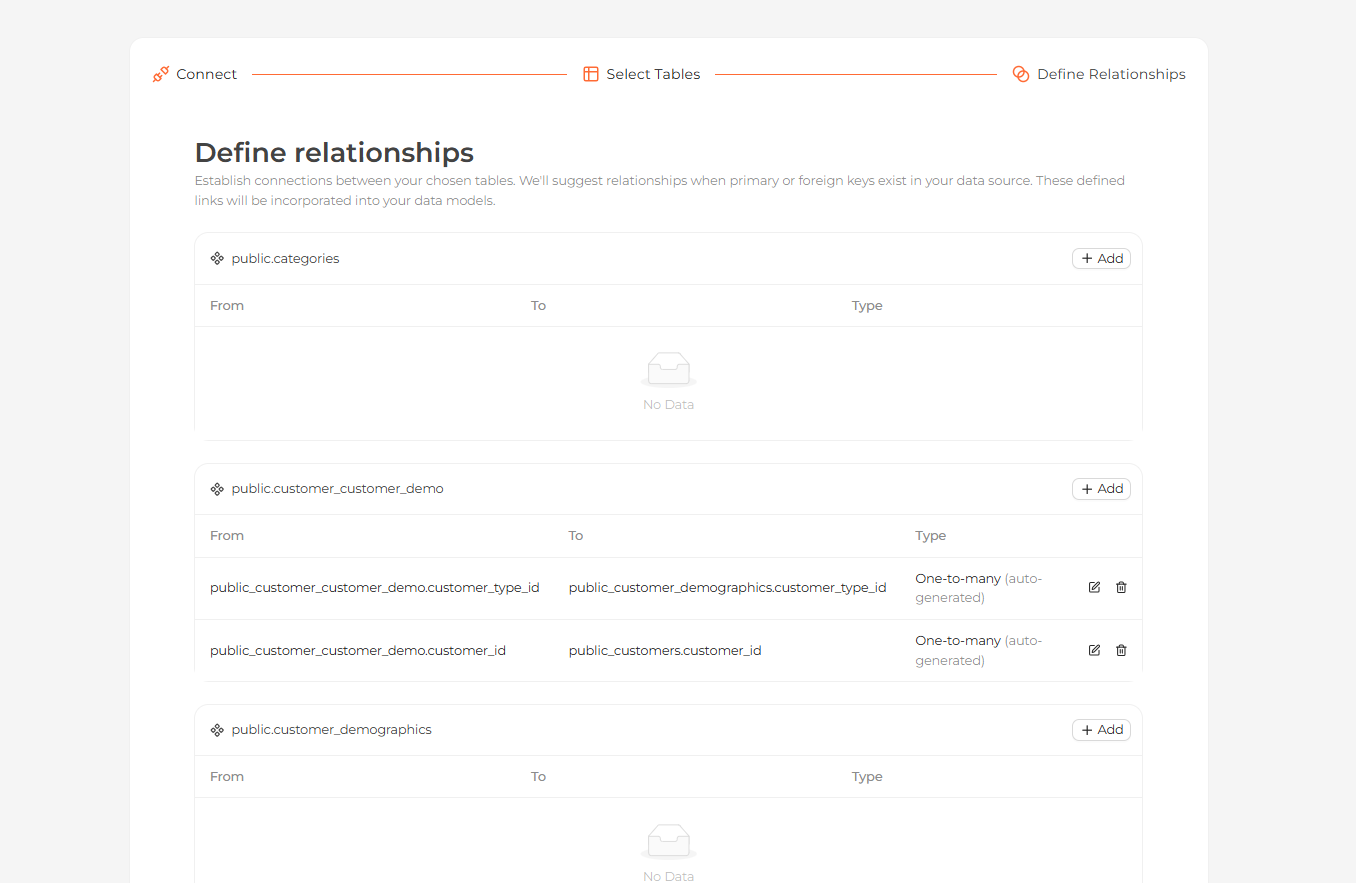 Defining relationships between the imported tables
Start exploring
Your tables now appear on the Modeling page. Open the Home page and ask questions about your data in natural language.
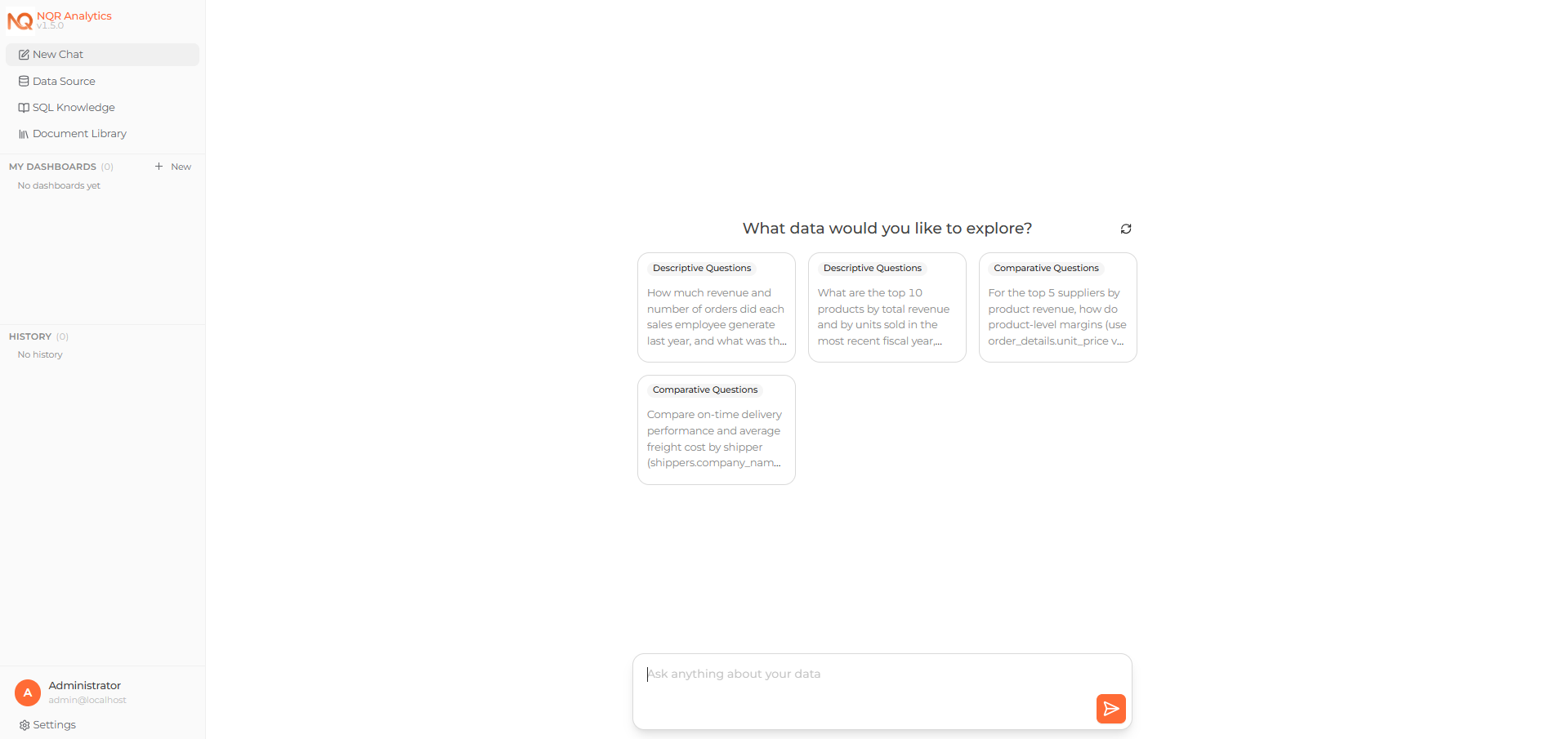 Asking a question about the connected data on the Home page
Known issues
- Complex queries can time out. Optimize them where possible.
- Some data types may not be fully supported. Cast them to standard types if you encounter issues.