
Connect BigQuery
Connect a Google BigQuery dataset to NQRust Analytics.
This guide describes how to connect a BigQuery dataset to NQRust Analytics: prepare a service account, enter credentials, choose tables, and define relationships.
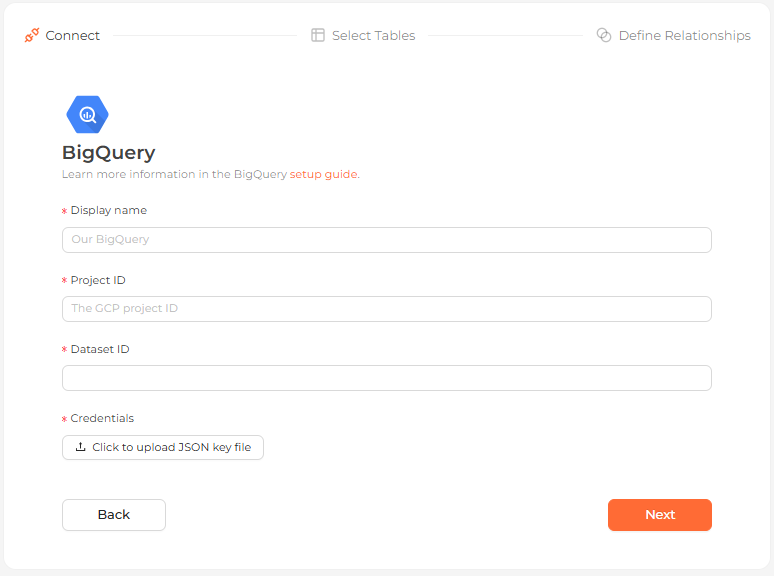 The BigQuery connection form in the Analytics UI
Prerequisites
- A Google Cloud Platform account with an active project.
- A BigQuery dataset inside that project.
- A service account with a JSON key file for authentication.
Prepare a service account
Create a service account under IAM & Admin, then grant it two roles so that it can view your dataset and run queries:
- BigQuery Data Viewer
- BigQuery User
Generate a JSON key for the service account and download it.
A service account key can only be downloaded once. If you lose or delete it, you will need to create a new key.
Connection settings
| Field | Description |
|---|---|
| Display name | (required) The name this dataset shows up as in the Analytics UI, e.g. Our BigQuery. |
| Project ID | (required) The GCP project ID the dataset lives in. |
| Dataset ID | (required) The dataset you want to connect to. |
| Credentials | (required) Upload a Google Cloud service-account JSON key file using the Click to upload JSON key file button. |
Steps
Enter connection details
Complete the fields above. Authentication is via the uploaded service-account JSON key file, so upload it using the Click to upload JSON key file button, then continue.
Select tables
Choose the tables from the dataset that you want as data models.
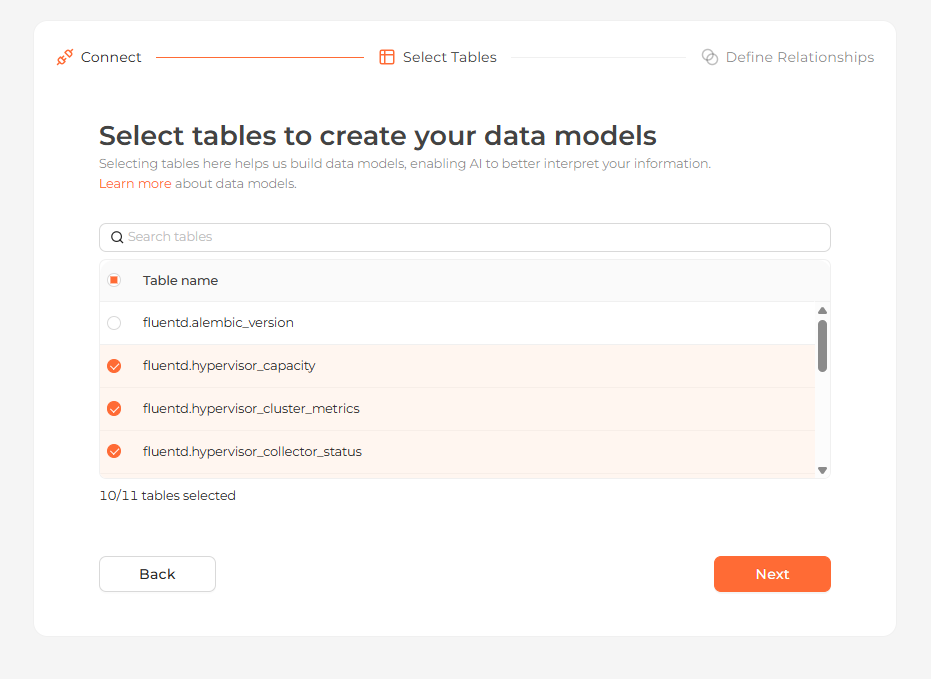 Selecting the tables to import as data models
Define relationships
Connect your tables using their primary and foreign keys, or skip this step.
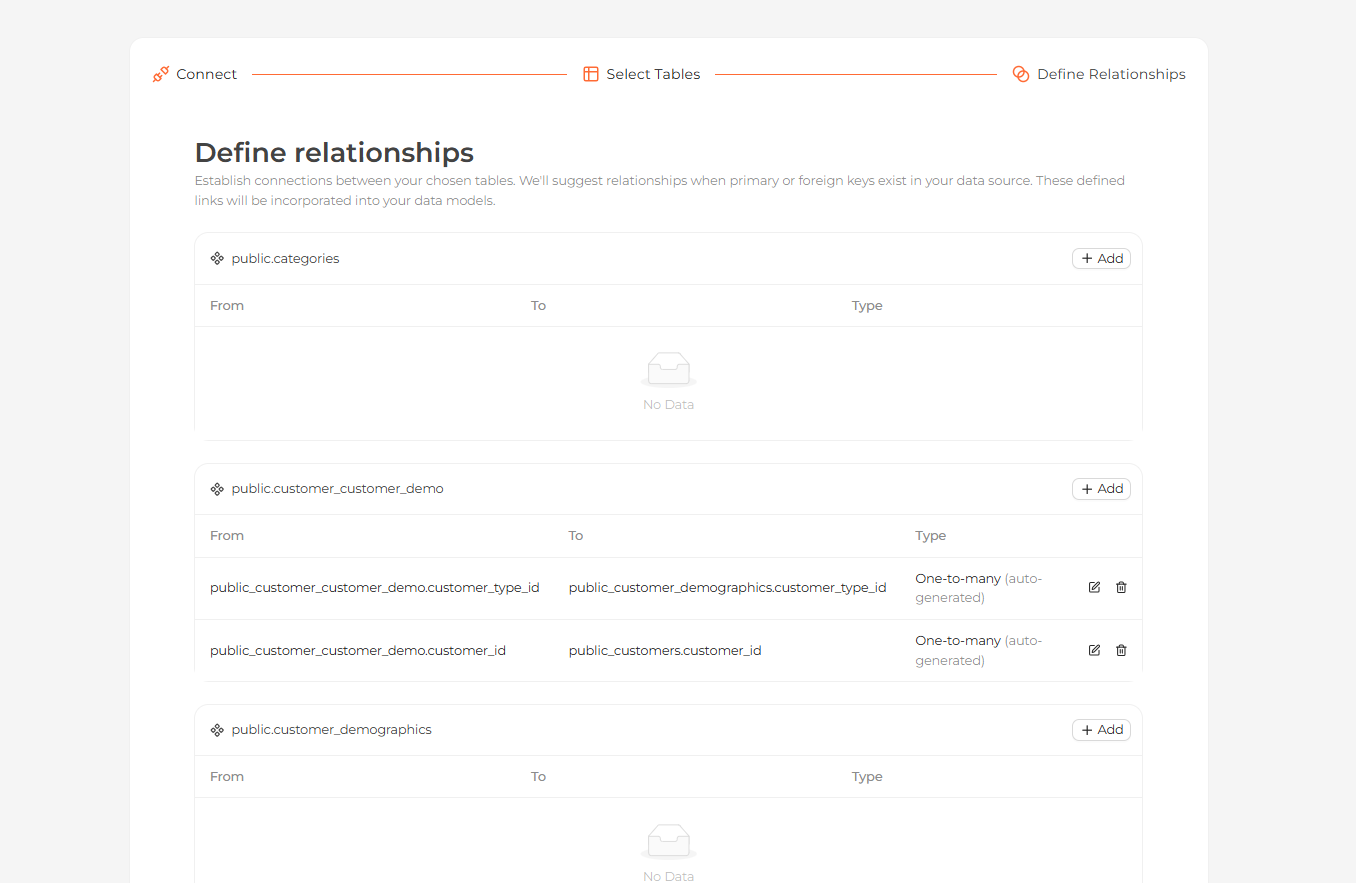 Defining relationships between the imported tables
Start exploring
Your tables now appear on the Modeling page. Open the Home page and ask questions about your data in natural language.
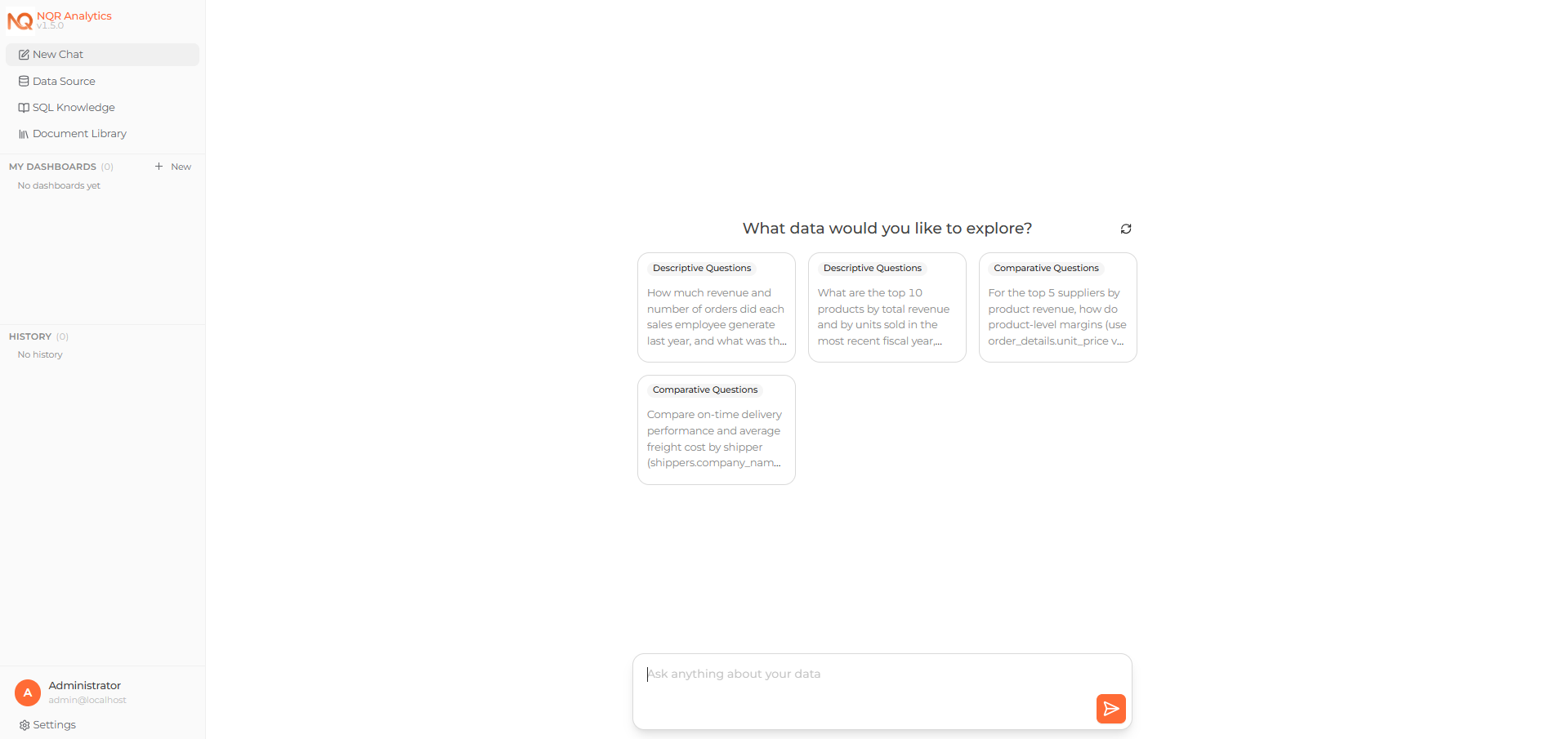 Asking a question about the connected data on the Home page
You can also import Google Sheets into BigQuery and query them here. When you do, set the header row count appropriately and let BigQuery auto-detect the schema.