
Views
Save trusted query results as reusable virtual tables that skip AI regeneration.
A view is a virtual table built from one or more underlying models. It does not store data itself — instead it presents data derived from your models through a predefined query.
Views in NQRust Analytics work differently from database views. Here, a view is a trusted result you saved from a question you asked. When you save a view, both the question and its SQL are stored. The next time someone asks the same question, the saved SQL runs directly instead of the AI service regenerating it, and the UI indicates whether a result came from AI or from a saved view.
Create a view
Currently, the only way to create a view is by saving a result SQL as a view. On the Home page, every answer includes a Save as view button that stores its result SQL as a view.
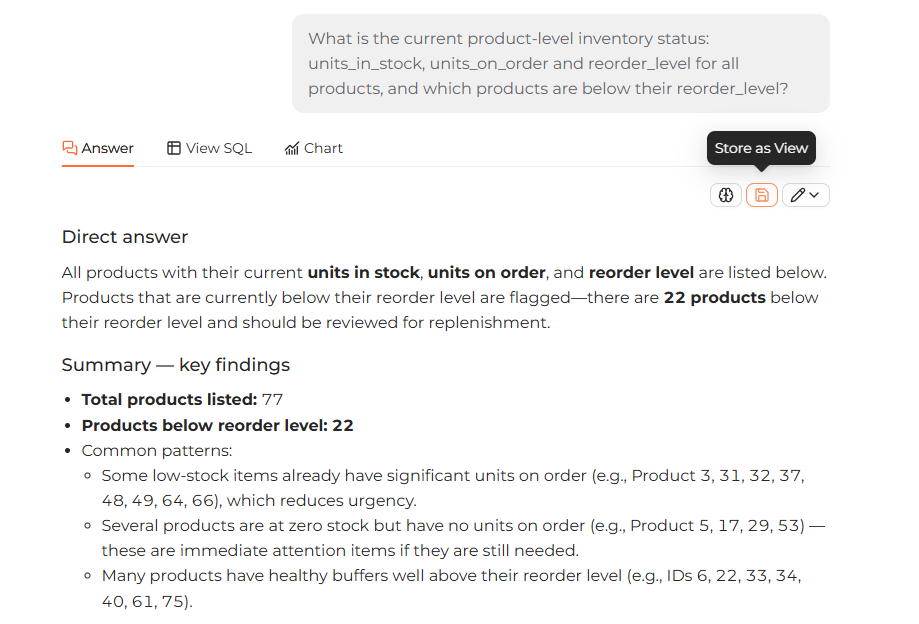 An answer on the Home page with the Save as view button that stores its result SQL as a reusable view.
Browse your views
The Views section of the sidebar on the Modeling page lists every saved view. Expand a view to see its columns. Click a view to focus the ER diagram on it.
View metadata
Click a view in the ER diagram to inspect its metadata:
- Name — the view's name.
- SQL statement — the saved SQL behind the view.
- Data Preview — click Preview data to see up to 100 rows.
Delete a view
- Click the ... icon on the view diagram.
- Choose Delete.
Deploy your changes
After editing on the Modeling page, click Deploy in the navbar to sync your changes to the Analytics Engine.
When changes are pending, the navbar shows an Undeployed changes message. Once
all changes are synced, it shows a synced message.