
Modeling
Model Metadata
Add aliases and descriptions that give the AI service the business context it needs for accurate answers.
Metadata is the business context layered on top of a model: descriptive names and descriptions that help both your team and the AI service understand what each model and column represents. Clear metadata leads to more accurate answers.
View a model's metadata
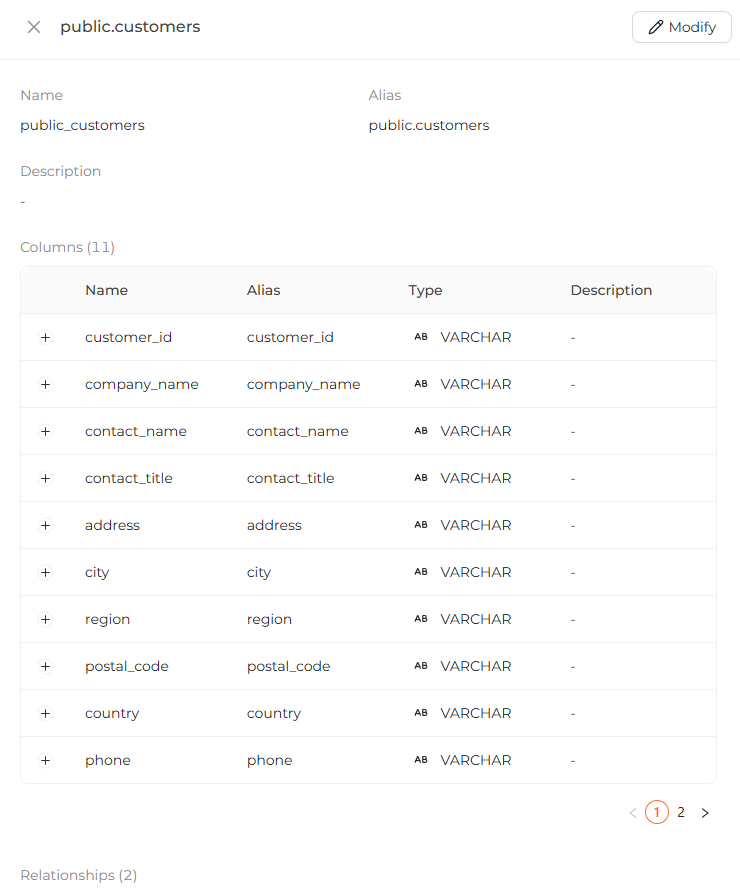
Select a model in the ER diagram to see its metadata:
- Name — the model's SQL identifier.
- Alias — an alternative, friendlier name for the model.
- Description — explanatory text about the model.
- Columns — column names, aliases, data types, and descriptions.
- Calculated Fields — any calculated fields defined on the model.
- Relationships — relationships established with other models.
- Data Preview — up to 100 sample rows from the model.
Edit a model's metadata
Editing lets you update:
- The model's alias and description.
- The alias and description of each column.
- The description of each calculated field.
- The description of each relationship.
When you are done, click Submit to save your changes.
 Editing model metadata: updating the model alias and description along with column aliases and descriptions.
Deploy your changes
After editing on the Modeling page, click Deploy in the navbar to sync your changes to the Analytics Engine.
When changes are pending, the navbar shows an Undeployed changes message. Once
all changes are synced, it shows a synced message.