
Models
The fundamental unit of modeling — combine schema, metadata, relationships, and calculated fields into a business-ready dataset.
A model is the fundamental unit of modeling in NQRust Analytics. It combines a table's schema, metadata, relationships, calculated fields, and other semantic details so that both your team and the AI service can interpret the data accurately.
Create a model
During the connection process
When you connect a data source, you choose which tables to bring into NQRust Analytics. Each table you select becomes a model automatically.
From the Modeling page
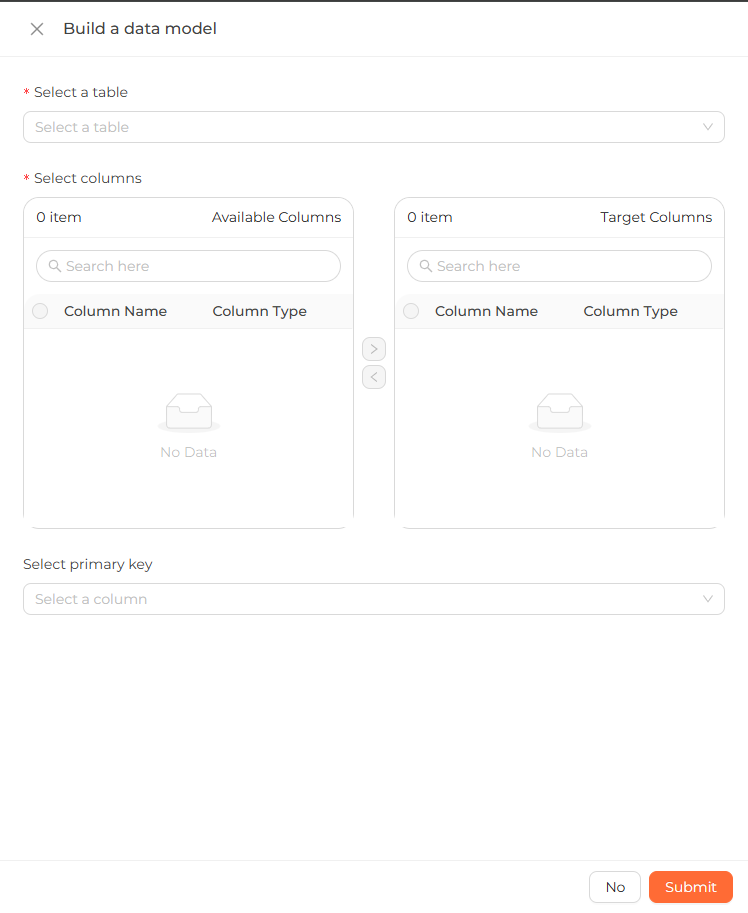 The create model dialog: selecting a source table and moving the chosen columns into the model.
Update model columns
To change a model's column configuration:
- Click the ... icon on the model diagram.
- Choose Update columns.
From there you can:
- Update columns — add or remove columns on the model.
- Update primary key — set or change the model's primary key.
Browse your models
The Models section of the sidebar lists every model on the Modeling page. Expand a model to see its columns. Click a model to focus the ER diagram on that model.
Delete a model
- Click the ... icon on the model diagram.
- Choose Delete.
Deploy your changes
After editing on the Modeling page, click Deploy in the navbar to sync your changes to the Analytics Engine.
When changes are pending, the navbar shows an Undeployed changes message. Once
all changes are synced, it shows a synced message.