
Data Source Settings
Review and update the data source attached to your NQRust Analytics project.
Open Settings > Data Source Settings to review how your project connects to its data and to change those details when a value moves or rotates.
Connected data sources
For a project connected to a real database or warehouse, this page lists the connection properties currently in use. You can edit the fields the connector supports — for example a new host, a rotated password, or a different database name — and save without rebuilding the project from scratch. For the fields each connector expects, see Connect Data Sources.
Sample datasets
If your project is using a sample dataset, this page shows which one is attached and lets you switch to a different sample.
Switching to another sample dataset removes the existing thread records on the Home page. Switch only when you are prepared to lose the current sample-project conversation history.
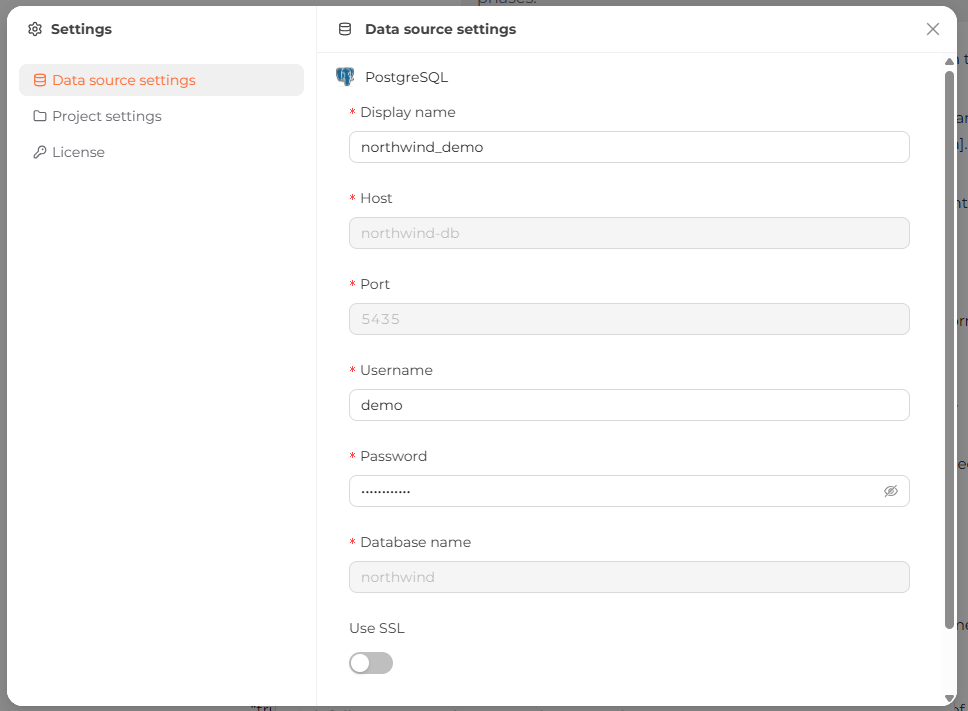 The Data Source Settings screen showing the current connection properties.