
Chat with Documents
Select indexed documents as chat context and get answers grounded in their content, with citations to the exact section.
Once a document is Ready, you can use it as context for chat. The assistant then answers your questions only from the documents you have selected and cites the section each claim came from.
Selecting documents for chat
In the Document Library, each document card has a selection control. Selecting documents makes them the active context for chat:
- You can select up to 5 documents at a time. The header shows your current count (for example,
2/5 selected for chat). - Selection is global — every chat thread sees the same selected set. There is no per-thread document context.
- Once you reach the limit, you must deselect a document before adding another.
- Only indexed documents are useful as context; selecting a document that is still indexing or failed will not produce grounded answers until it is Ready.
Deleting a document automatically removes it from the selection.
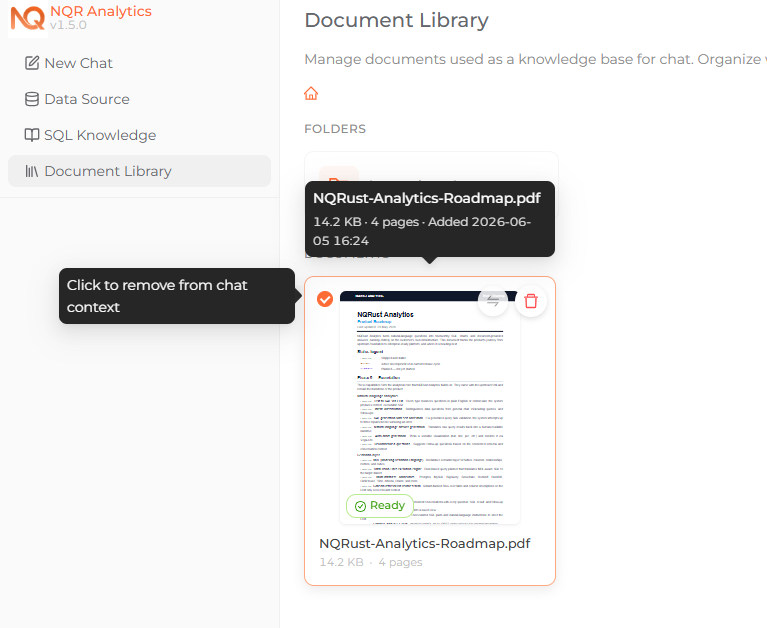 Selecting documents as chat context, with the X/5 selected counter in the header.
Asking questions
With one or more documents selected, ask your question in chat the same way you would ask about your data. NQRust Analytics routes document questions to the document index, retrieves the most relevant sections from each selected document in parallel, and writes an answer from those passages. This produces a DOCUMENT_BASED answer rather than a SQL query.
For each question, the engine reasons over each document's structure to pick the most relevant sections (up to five passages per document by default), then drafts the answer from that text.
If the selected documents do not contain enough information to answer, the assistant states this explicitly rather than guessing: "The documents don't contain sufficient information to answer this question."
How answers cite sources
Document answers are required to back every claim with a citation, and they end with a Sources section listing every distinct citation used. The citation format depends on the document type:
- PDF —
[Page N, Section Name], for example, Revenue grew by 23% [Page 5, Financial Summary]. - PowerPoint — the section is the slide, so citations look like
[Slide 3: Pricing]. - Word / Markdown — these have no page numbers, so citations use the section name only, for example
[Biodata Pribadi].
Answers are written in the same language as your question.
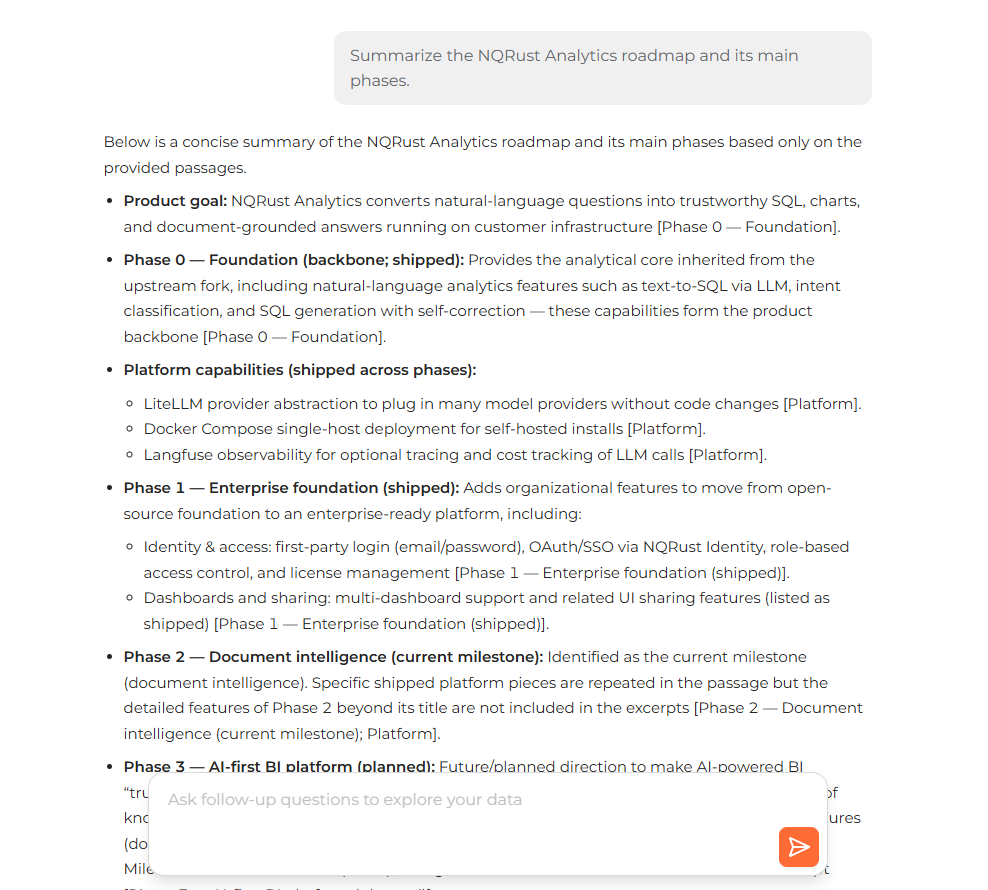 A document-grounded answer with inline citations and a Sources section.
If retrieval fails for an infrastructure reason rather than a content one, NQRust Analytics surfaces a specific message instead of attributing the failure to the documents — for example, a missing index ("Re-upload the affected document to rebuild its index") or an LLM rate limit. If you see a "missing index" message, re-upload the document to rebuild it.
Tips
- Keep the selection focused. Selecting the few documents most relevant to your question produces tighter, better-cited answers than selecting five unrelated ones.
- Verify with citations. Use the
[Page N, Section]/[Section]references and the Sources list to locate the original text and confirm the answer. - Re-upload if an index goes missing. Indexes are tied to the uploaded file; if a document's index cannot be found at query time, re-uploading rebuilds it.