
Multiple Dashboards & Starring
Create and manage several dashboards per user, set a default, and star your favourites.
NQRust Analytics gives every user a personal collection of dashboards. You are not limited to a single dashboard — create as many as you need, organize charts across them, and mark the ones you use most as favourites.
Multiple dashboards per user
Each dashboard records the user who created it (createdBy). The sidebar groups
dashboards into two sections:
- My Dashboards — dashboards you created.
- Shared with Me — dashboards other users have shared with you (these appear only when something has been shared with you).
There is no fixed limit on the number of dashboards a user can create.
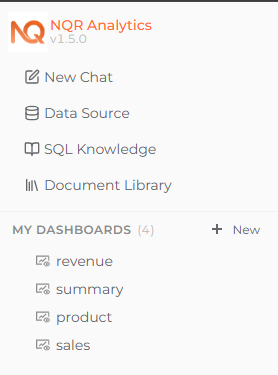 The dashboard sidebar grouped into My Dashboards and Shared with Me.
A dashboard has a name and an optional description. One of your owned
dashboards is always marked as the default (isDefault):
- The first dashboard you create automatically becomes your default.
- When you delete your default dashboard, another of your owned dashboards is promoted to default automatically.
Creating and managing dashboards
Dashboards are managed from the dashboard tree in the sidebar.
Create a dashboard. Use the New button in the My Dashboards section and provide a name (a description is optional).
Rename it. Right-click a dashboard you own and choose Rename to update its name or description.
Set as default. Right-click a non-default dashboard you own and choose Set as Default.
Delete it. Right-click a dashboard you own and choose Delete.
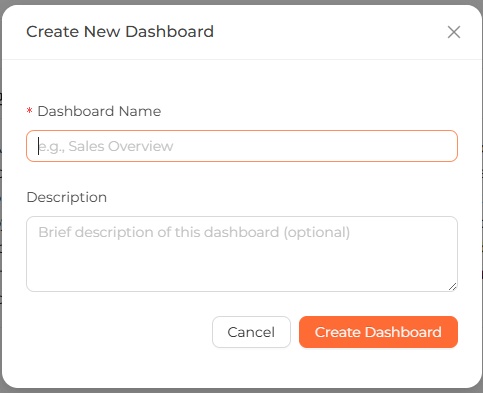 Creating a new dashboard from the My Dashboards section.
Renaming, setting a default, and deleting are owner-only actions. Only the user who created a dashboard sees these options in the context menu. Editors who have a dashboard shared with them can add charts to it but cannot rename, set it as default, or delete it. See Sharing for the full permission breakdown.
For how to pin charts to a dashboard, resize, and reorder them, see Using the dashboard.
Starred dashboards
Starring lets you bookmark the dashboards you use most. Stars are per user — your stars are yours alone and do not affect what anyone else sees.
- You can star any dashboard you have access to, including dashboards that have been shared with you (not just ones you own).
- A dashboard can only be starred once per user.
Star or unstar a dashboard
Right-click a dashboard's name in the left sidebar (under My Dashboards or Shared with Me) to open its context menu, then choose:
- Add to Starred — to star it.
- Remove from Starred — to unstar it.
The same context menu also holds the Rename, Share, Set as Default, and Delete actions. Right-clicking the dashboard view itself does not open this menu — use the dashboard's entry in the left sidebar.
Starred dashboards show a filled star icon next to their name in the sidebar.
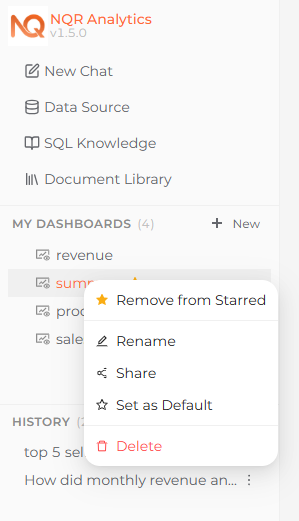 A starred dashboard showing a filled star icon in the sidebar.
You can only star a dashboard you have access to. If your access to a shared dashboard is removed, the star is removed along with it.
Collaboration Overview
Work together in NQRust Analytics — multiple dashboards per user, sharing dashboards and chat threads with teammates, and starring favourites.
Sharing Dashboards & Threads
Share a dashboard or a chat thread with other users in your deployment, and choose whether they can view or edit.